
ESPARGOS One Firmware
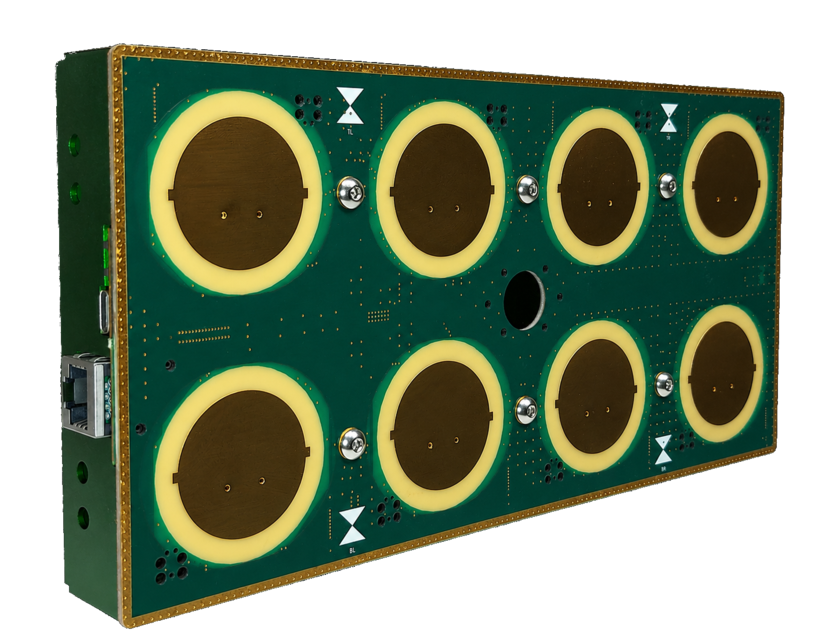
Below, you can download the firmware for ESPARGOS One (device looks as shown in picture).
Downloads
Sensor Firmware: Channels
Dev
2026-07-13 14:46 UTC
·
d1d434f
Testing
2026-06-29 14:46 UTC
·
344ef3d
Stable
2026-06-29 14:46 UTC
·
344ef3d


Controller Firmware: Channels
Dev
2026-07-14 14:08 UTC
·
195818d
Testing
2026-06-29 14:47 UTC
·
195818d
Stable
2026-06-29 14:47 UTC
·
195818d


Firmware News
CSI Streaming over USB and 802.11ax
New Feature
2026-04-27
The controller and sensor firmwares with build dates of 2026-04-27 and later received a major update. 802.11ax CSI with 4× the number of subcarriers is now supported, as well as streaming compressed CSI (exploits time-domain sparsity). This way, CSI as well as all settings and the whole web interface can be tunneled through UART. Make sure to update
pyespargos to the latest version.Controller update requires manual flashing
Manual Action
2026-02-26
If your controller is running a firmware with build date older than 2026-02-26 and you want to update to a version with build date newer than 2026-02-26, you must manually flash the new firmware using one of the recovery options (WebSerial or
esptool). The reason for this change is a new partition table that is incompatible with older firmware versions.New naming scheme for firmware channels
Notice
2026-02-26
Firmware channels were previously named
latest and stable. The new naming scheme is dev (replaces latest), testing (replaces stable) and stable (new). The stable channel only contains firmware that has undergone manual testing, whereas dev and testing are outputs of the CI/CD pipeline.Firmware publicly available
Done
2026-01-16
Firmware updates for ESPARGOS are now publicly available from this website, and are automatically updated using our CI/CD pipeline.
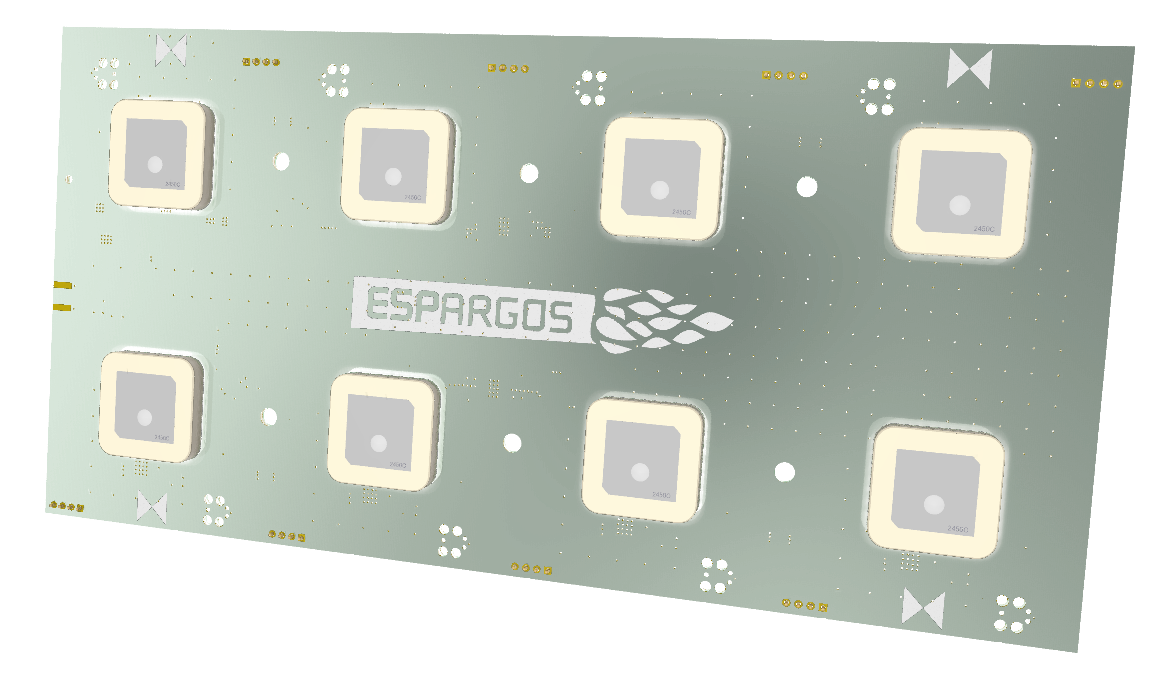
If you still have an older prototype version of ESPARGOS, please note that this hardware is no longer supported. You can, however, still download the last available firmware versions for this prototype hardware below. Prototype firmware is not updated anymore!
Update Instructions
Important: Always update ALL firmware components of your ESPARGOS device and update them in this order: First sensor firmware, then controller firmware, then web assets.
Web Browser
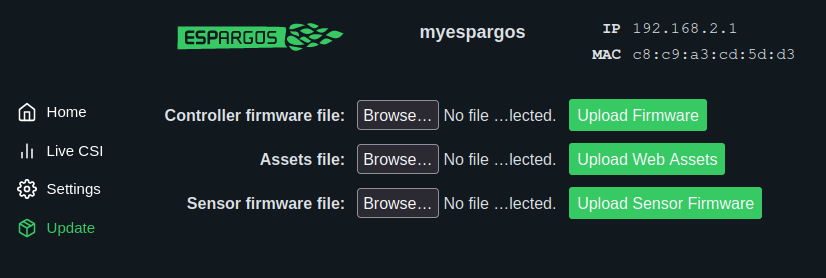
- Go to the web interface of your ESPARGOS device. See Setup to learn how.
- One after the other, select and flash the firmware files for
- sensor firmware,
- controller firmware and
- controller web assets.
Command Line
# Download dev firmware files from espargos.net
cd /tmp
wget https://espargos.net/firmware/dev/espargos-sensor-firmware.bin
wget https://espargos.net/firmware/dev/espargos-controller-firmware.bin
wget https://espargos.net/firmware/dev/espargos-controller-assets.bin

# Upload firmware to ESPARGOS:
# * Change ESPARGOS_HOST to the IP address / hostname of your ESPARGOS device.
# * Make sure the update succeeded after every step. Otherwise, reboot ESPARGOS.
ESPARGOS_HOST=192.168.1.2
curl -# "http://$ESPARGOS_HOST/update_sensor_application" --compressed -H "Content-Type: application/octet-stream" --data-binary @espargos-sensor-firmware.bin | tee /dev/null
curl -# "http://$ESPARGOS_HOST/update_firmware" --compressed -H "Content-Type: application/octet-stream" --data-binary @espargos-controller-firmware.bin | tee /dev/null
curl -# "http://$ESPARGOS_HOST/upload_partition?partition=web" --compressed -H "Content-Type: application/octet-stream" --data-binary @espargos-controller-assets.bin | tee /dev/null
Recovery Instructions
Recovery images are only needed in case your ESPARGOS device is not functioning properly after a failed update. This way, you can always restore your device to a working state even if something goes wrong during the update process. A failed firmware update cannot "brick" ESPARGOS.
Controller Firmware Recovery
From a WebSerial-enabled Browser
With a WebSerial-enabled browser (e.g., Firefox, Google Chrome), connect ESPARGOS to your computer via USB and click the appropriate button for your chosen channel to flash the recovery firmware directly from your browser. Note that this method is quite slow (can take around 10 minutes):
| Channel | Build | Install |
|---|---|---|
| Dev | 2026-07-14 14:08 UTC · 195818d | |
| Testing | 2026-06-29 14:47 UTC · 195818d | |
| Stable | 2026-06-29 14:47 UTC · 195818d |
Manual Recovery with esptool
- Make sure to install esptool. It is included in ESP-IDF, but full installation of ESP-IDF is not required.
- Connect ESPARGOS to your computer via USB. It will appear as a USB serial device, assumed to be named
/dev/ttyUSB0in the following. - Execute the following command to flash the recovery image. This will reset ESPARGOS to factory settings:
wget https://espargos.net/firmware/dev/espargos-controller-recovery.bin
esptool --chip esp32 -b 2000000 --before default-reset --after hard-reset write-flash --flash-mode dio --flash-size 16MB --flash-freq 40m 0x0000 espargos-controller-recovery.bin
Sensor Firmware Recovery
- Download the sensor recovery partition from the link above, and upload it to ESPARGOS using the web interface.
- Click the "Provision All Sensors" button on the web interface. Be very patient, this will take up to ten minutes.